VS Code Extension
A kanban board that lives in your codebase.
A kanban board inside your editor. Features stored as markdown — version-controllable, human-readable, AI-ready.
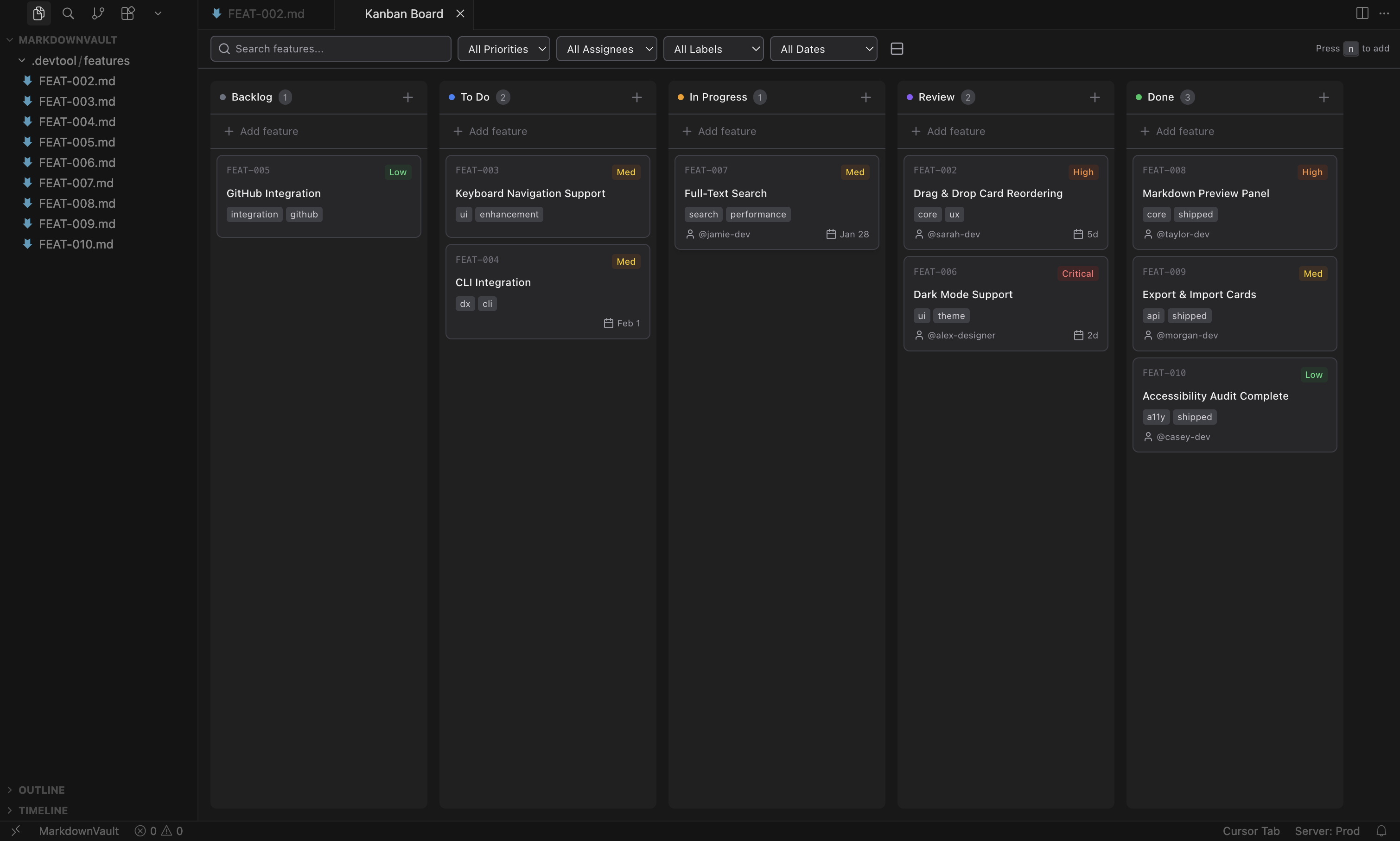
VS Code Extension
A kanban board inside your editor. Features stored as markdown — version-controllable, human-readable, AI-ready.
How it works
Each feature is a markdown file with YAML frontmatter. Click a card to move it — watch the file update.
---
id: "auth-flow"
status: "todo"
priority: "high"
assignee: "sarah"
dueDate: null
created: "2026-03-10T09:00:00.000Z"
labels: ["core", "security"]
order: "a0"
---

# Auth Flow

Feature description goes here...
git diff • git blame • review in PRs • edit in any text editor
Why Kanban Markdown?
Diff your board. Branch your workflow. Review features in pull requests. Your project management has a full commit history.
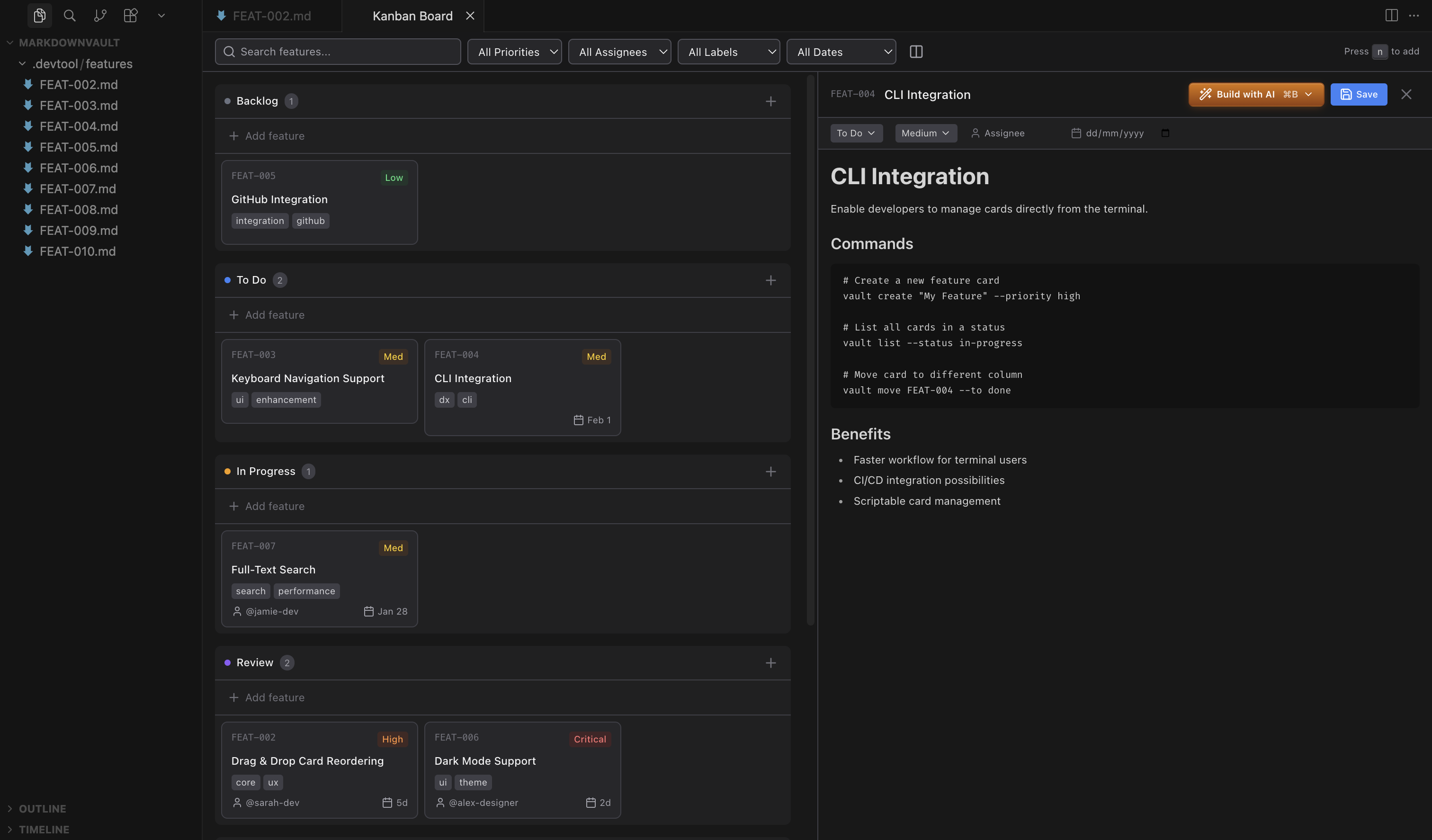
Plain markdown means any AI agent can read and update your board. Hit "Build with AI" and your agent starts implementing.
No accounts, no cloud, no subscriptions. Your data stays in your repo. Works offline, works forever.
AI Integration
Hit “Build with AI” on any card. Your agent gets full context — title, priority, labels, description — and starts implementing. Pair it with the kanban skill and agents can manage the board autonomously.
Get Started
Three seconds to install. Zero accounts to create.
Free and open source. MIT licensed.